
Why Is My Windows 11 Laptop So Slow? It’s Probably Bloatware — Here’s How to Fix It
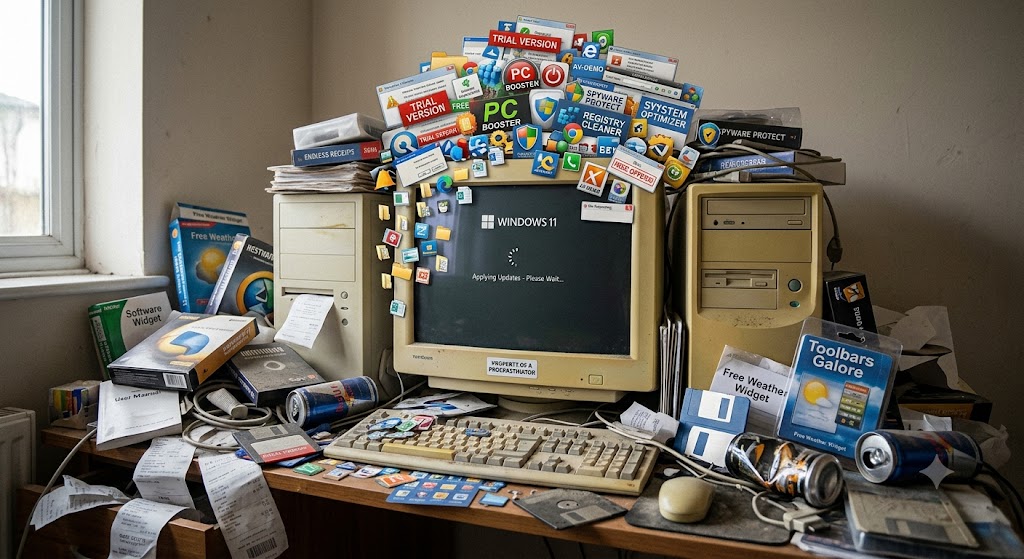
Direct Answer: A brand new Windows 11 laptop can have 40 or more background processes running before you’ve opened anything. Microsoft’s Copilot AI, Teams Chat, Xbox Game Bar, telemetry services, and widgets are all active at startup — along with whatever the manufacturer pre-loaded on top. The fix is straightforward: a free tool called WinUtil removes most of it in minutes. Or bring it to us and we’ll do the whole job for £45.
Key Takeaways
- Windows 11 ships with Microsoft’s own bloatware plus manufacturer extras that can consume 500MB–1GB of RAM before you’ve done anything.
- The worst offenders are Copilot AI, the Windows telemetry service (DiagTrack), Microsoft Teams Chat, Xbox Game Bar, Widgets, and the new Recall AI feature on Copilot+ PCs.
- Chris Titus Tech’s WinUtil is the best free removal tool — one command in PowerShell, creates a restore point automatically, reverses everything if needed.
Bloatware — Here’s How to Fix It
I see this every week. Someone buys a new laptop, fires it up, and within a fortnight it feels sluggish. Pages take a moment to load. Apps take their time opening. The fan spins up for no obvious reason. The obvious explanation — it’s a new machine, something must be wrong — isn’t quite right. Often nothing is wrong. The machine is just drowning in software it came with.
Windows 11 ships with a remarkable amount of stuff running in the background. Some of it is Microsoft’s own — AI features, telemetry, app stores and assistants you never asked for. Some of it is from whoever made the laptop — Dell, HP, Lenovo and Acer all add their own layer of utilities and trials on top. Combined, it adds up fast. Here’s what’s actually going on, and how to deal with it.
What Counts as Bloatware
Bloatware is any software that runs on your machine without you choosing to install it, and that you wouldn’t miss if it disappeared. That covers a wider range than most people expect on Windows 11.
There are two categories. The first is Microsoft’s own additions — things baked into the operating system that run regardless of what laptop you have. The second is manufacturer additions — utilities, trial software and diagnostic tools that vary depending on whether you bought a Dell, HP, Lenovo, or anyone else.
Microsoft’s Bloatware in Windows 11
This list has grown considerably in the last two years as Microsoft has pushed AI features into every corner of the operating system:
Copilot AI sits in the taskbar and runs in the background, with additional instances running inside Edge, Notepad, and other apps — all sending data to Microsoft’s servers. On a Copilot+ PC, the new Recall feature takes a screenshot of your screen every few seconds and stores them for AI search, which is exactly as resource-hungry as it sounds.
Connected User Experiences and Telemetry (the DiagTrack service) runs constantly in the background collecting usage data and sending it to Microsoft. SysMain (formerly called Superfetch) pre-loads apps into RAM it thinks you’ll use, which sounds helpful but frequently works against you on lower-spec machines.
Microsoft Teams Chat, pre-installed and pinned to the taskbar, adds another background process whether you use Teams or not. Xbox Game Bar hooks into system processes by default even on machines that have never run a game. Widgets — the news and weather panel — loads a live feed in the background. Start menu ads serve suggestions for apps Microsoft has been paid to promote, served via a live connection.
Then there are the trial and pre-installed apps: Candy Crush, Disney+, and a roster of others that vary by manufacturer deal — none installed by you, all running something in the background.
Manufacturer Bloatware on Top
Whatever your laptop brand, it came with extras. Dell ships with SupportAssist and Dell Digital Delivery — both run background agents. HP includes HP Support Assistant and HP Smart. Lenovo adds Lenovo Vantage plus, on some models, a pre-installed McAfee or Norton trial that adds its own considerable overhead. Acer and ASUS have their own equivalents.
These aren’t all malicious. Some are genuinely useful for driver updates. But they all consume resources, they all run at startup, and most people never use them. On a laptop with 8GB of RAM — which is the baseline spec on most machines sold in 2025–2026 — losing 600–800MB before you’ve opened a browser is a real performance hit.
What This Actually Costs Your Machine
| Bloatware | RAM Impact (approx.) | Other Impact |
|---|---|---|
| Copilot AI (taskbar + Edge) | 100–150MB | Background data connection, CPU spikes |
| DiagTrack (telemetry service) | 30–80MB | Periodic disk writes, network usage |
| Microsoft Teams Chat (pre-installed) | 100–200MB | Startup delay, background sync |
| Xbox Game Bar | 50–80MB | System hooks on every process |
| Widgets / News feed | 50–100MB | Live data connection |
| Manufacturer tools (Dell/HP/Lenovo) | 200–500MB | Multiple startup agents, disk polling |
| McAfee / Norton trial | 100–300MB | Real-time scanning of every file operation |
Add those up on a bad day and you’re looking at 600MB–1.4GB of RAM consumed before you’ve opened a browser. On an 8GB machine, that’s 15–17% gone at idle.
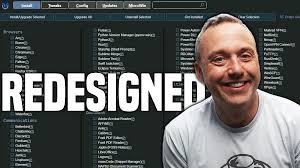
The Free Fix: Chris Titus Tech’s WinUtil
The best free tool for this in 2026 is Chris Titus Tech’s Windows Utility (WinUtil) — an open-source PowerShell script with a clean graphical interface that handles debloating, telemetry removal and startup optimisation in one pass.
How to run it: open Terminal as Administrator (right-click the Start button, select Terminal (Admin)), paste this single command, and press Enter:
irm christitus.com/win | iex
A window opens. Choose the Standard tweaks preset. This disables telemetry, removes pre-installed apps, cleans up startup, and turns off background services you’re not using. Before it does anything, it creates a System Restore Point automatically — so if you don’t like the result, you can roll back entirely. Nothing gets installed on your machine; when you close the window, the tool is gone.
WinUtil won’t remove everything — Microsoft keeps adding AI features and some services are increasingly tied into the OS. But it removes the bulk of the overhead and makes a noticeable difference on most machines.
Other Tools Worth Knowing
Win11Debloat on GitHub is a simpler alternative — a PowerShell script with a straightforward menu. Good for anyone who wants something more targeted or less intimidating than WinUtil’s full interface.
O&O ShutUp10++ is specifically focused on privacy and telemetry — it lets you toggle individual data-collection settings with colour-coded safety ratings for each one. It won’t remove apps but it’s the most thorough option for shutting down Microsoft’s background data collection.
Both are free. Both are widely used and actively maintained. Neither requires technical knowledge to run.
What We Do for £45
If you’d rather not run PowerShell commands on your machine — completely reasonable — we offer a full Windows 11 bloatware removal and speed-up service for £45.
What that covers: removing pre-installed junk apps, disabling telemetry and background data services, stripping out manufacturer bloatware, clearing unnecessary startup items, and checking before and after to confirm the improvement. We do this hands-on, not with an automated script run blind — if something looks like it matters to how you use the machine, we leave it alone and tell you why.
We’re based in Market Weighton and convenient for Beverley, Pocklington, South Cave, and Brough. If you’re not sure whether your machine would benefit, bring it in and we’ll have a look — no charge for the diagnosis.
A Word on “Optimisation” Software
While you’re searching for fixes, you’ll inevitably encounter ads for paid PC optimisation tools — CCleaner Pro, Advanced SystemCare, Avast Cleanup, and a dozen similar products. Most of them do less than the free tools above, charge a subscription, and add their own background processes in the process. Some are outright scams. Save your money — WinUtil or Win11Debloat will do more for free.
Frequently Asked Questions
What is bloatware on Windows 11?
Bloatware is software that runs on your laptop without you installing it — pre-loaded apps from Microsoft and the laptop manufacturer that consume RAM, CPU and disk space in the background. On Windows 11 this includes Copilot AI, Xbox Game Bar, Microsoft Teams Chat, Widgets, telemetry services, and often manufacturer additions like Dell SupportAssist, HP Support Assistant or Lenovo Vantage.
How much RAM does Windows 11 bloatware use?
Microsoft’s own pre-installed apps and AI features typically consume 100–300MB of RAM at idle, with manufacturer additions adding another 200–500MB. On a laptop with 8GB of RAM this is significant — you can lose 10–15% of available memory before you’ve opened a single app.
Is it safe to remove Windows 11 bloatware?
Yes, with the right tools. Free utilities like Chris Titus Tech’s WinUtil create a System Restore Point automatically before making any changes, so the process is reversible. Removing core Windows files is a different matter entirely — reputable debloating tools only remove non-essential apps and disable optional telemetry services.
What is Chris Titus Tech’s WinUtil?
WinUtil is a free, open-source PowerShell script that removes bloatware, disables Windows telemetry, and optimises Windows 11 in one pass. It runs directly from a command and leaves nothing installed on your machine afterwards. It’s widely regarded as the best all-in-one debloating tool available in 2026.
How much does it cost to have bloatware professionally removed?
At Mend My iPhone in Market Weighton we charge £45 for a full Windows 11 bloatware removal and speed-up service. This covers removing pre-installed junk, disabling background telemetry, disabling startup apps, and a full before-and-after performance check.
- Your iPad Just Got Cut Off From iPadOS 27 — Here’s What That Actually Costs You
- Water Damaged Amazon Fire Tablet: A Board-Level Repair Walkthrough
- Best Rugged Phones for Tradespeople and Farmers in 2026 — and Where to Actually Buy Them
- Call out iPhone repair to Haxby Bakehouse, York
- Don’t Throw Away Your “Incompatible” Windows 10 PC Just Yet
Leave a Reply