
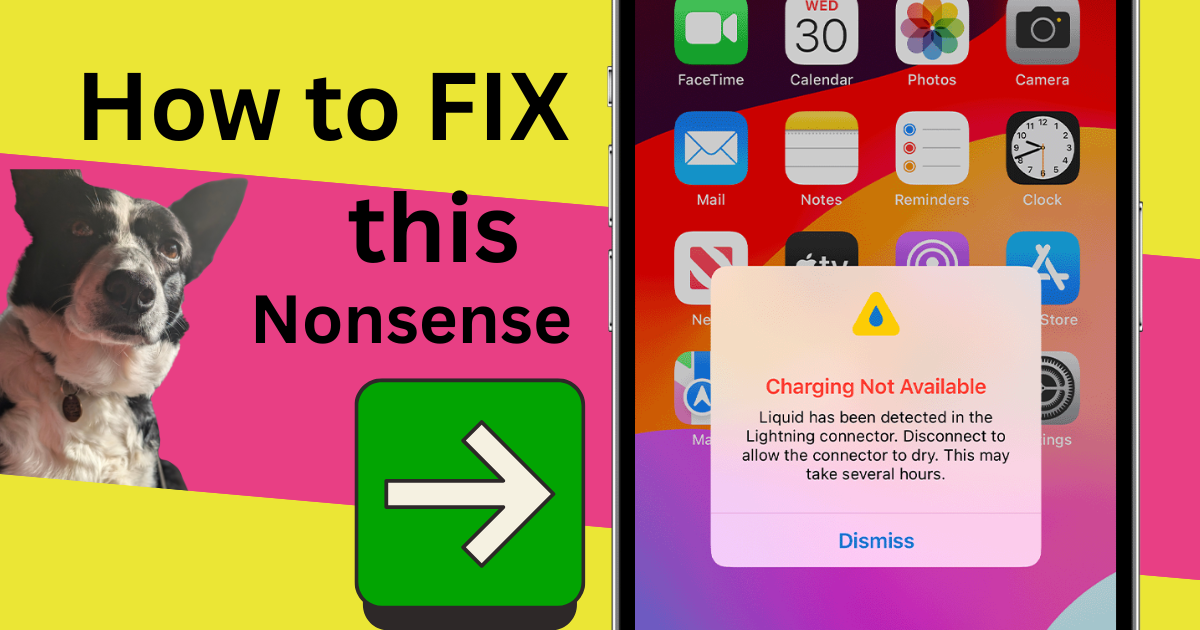
iPhone “Liquid Detected” Warning? The Real Fix Based On 5 Repairs This Week | Mend My iPhone Market Weighton
TL;DR
Direct Answer: The iPhone “Liquid Detected in Connector” warning is often caused by an underpowered 5V 2A charger or a cheap USB cable, not actual water damage. Based on bench testing at Mend My iPhone in Market Weighton this week, 5 out of 5 iPhones showing this warning charged normally the moment we switched to a 20W USB-C power adapter with a 20W-rated 20w USB-C cable. No port replacement is required if the fix is simply a better charger.
Key Takeaways
- 5 out of 5 iPhones tested at Mend My iPhone this week with the “Liquid Detected” warning charged successfully once switched to a 20W USB-C charger and cable — no water damage, no port replacement needed.
- A waveform meter confirmed that a 5V 2A USB-A feed failed to charge and triggered the warning; a 20W USB-C Power Delivery feed charged the same phone with no warning.
- Before paying for a charging port repair, always test with a known-good 20W USB-C charger and certified cable first. It could save you £50 or more.
iPhone “Liquid Detected in Connector” Warning? We’ve Fixed 5 In 5 Days With One Simple Switch
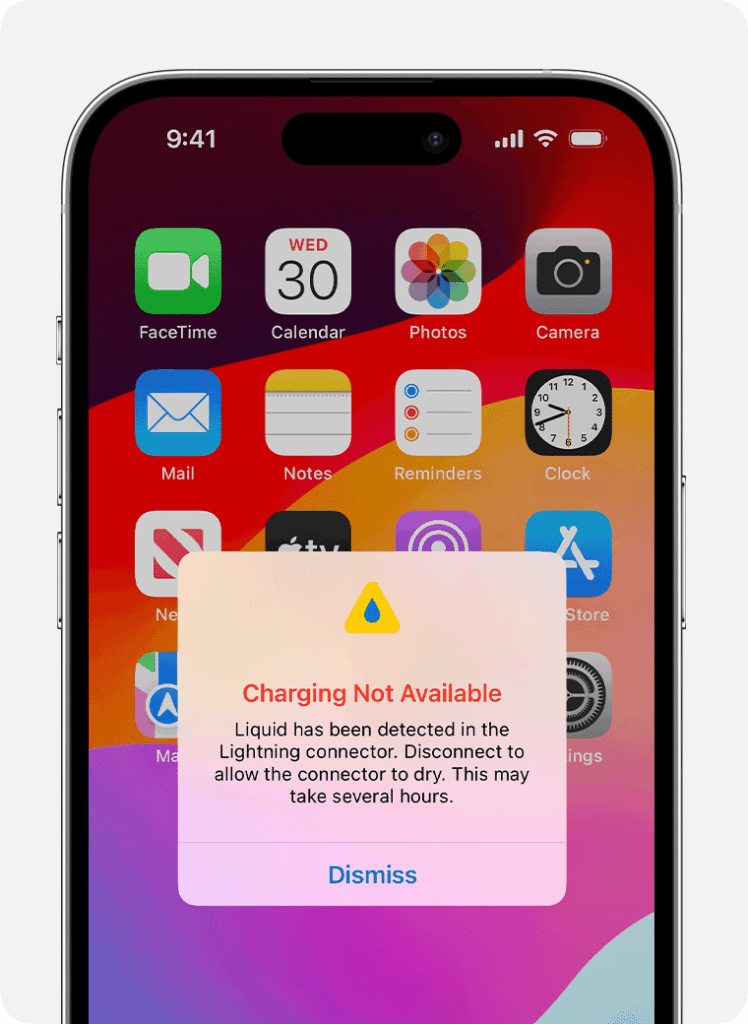
If your iPhone is showing a message that reads “Liquid Detected in Lightning Connector” or “Liquid Detected in USB-C Connector,” and you’re panicking about water damage, take a breath. Based on what I’ve seen on the bench at Mend My iPhone this week, the warning is increasingly being caused by something much simpler — and cheaper to solve — than a damaged port.
I’ve had five iPhones through the workshop in the last few days, all booked in with the assumption that the charging port needed replacing. On all five, the real cause was the charger and cable the customer was using.
What The Bench Test Showed
On each of the five devices, I ran the same test using a waveform meter to monitor the voltage and current delivered to the phone. The results were consistent and conclusive:
| Charger Setup | Wattage | Charging Result | “Liquid Detected” Warning |
|---|---|---|---|
| 5V 2A USB-A plug + basic/cheap cable | 10W | Did not charge | Yes — persistent warning |
| 20W USB-C Power Delivery adapter + 20W-rated USB-C cable | 20W | Charged normally at full speed | No warning shown |
Five for five. Same phones, same ports, no moisture, no corrosion — the only variable was the power source. Swap to a decent 20W USB-C setup and the problem disappears instantly.
What’s Actually Causing The Warning
Modern iPhones monitor the electrical behaviour of the charging pins very carefully. When a phone detects unstable voltage, fluctuating current, or unexpected impedance in the connector, it can interpret that as moisture or corrosion bridging the pins — and it shuts down charging to protect itself.
An older 5V 2A USB-A brick pushed through a cheap, worn or unbranded cable delivers exactly that kind of noisy, unstable power. Apple’s design treats it like a potential short, and up comes the “Liquid Detected” message. It’s not always wrong — sometimes there really is water — but right now, in my workshop, five times in a row, it has been a charger problem.
My working theory is that a recent iOS update has made the detection logic more cautious. I can’t confirm Apple’s internal logic, but the sudden spike in these warnings — and the consistency of the fix — lines up with that pattern.
The 20W USB-C Fix (The Bit You Came Here For)
Here’s what you actually need:
- A 20W USB-C Power Delivery (PD) adapter. Apple’s own is reliable but not cheap. Any well-reviewed branded 20W PD plug (Anker, Belkin, UGreen etc.) will do the job.
- A certified, properly-rated USB-C cable. For iPhone 8 through iPhone 14, that’s a USB-C to Lightning cable. For iPhone 15, 16, and newer, that’s a USB-C to USB-C cable. Look for MFi certification (Made for iPhone) on the packaging — not the suspiciously cheap stuff at the till in a petrol station.
Plug in. If the phone charges and the warning vanishes, you’re sorted. You’ve just saved yourself a charging port repair.
What Apple And The AI Chatbots Will Tell You (And Why It’s Still Worth Knowing)
The standard advice when this warning appears is to disconnect the cable, power off, dry the phone, and wait. That advice is still valid if there’s any chance of real liquid contact — it exists for good reason and I’d rather you follow it first. Here’s the short version:
- Unplug everything immediately.
- Power off the phone to reduce risk of internal damage.
- Eject any water by holding the port facing down and tapping gently.
- Air dry in a well-ventilated area for at least 30 minutes before plugging back in. A fan on low helps. A hairdryer does not.
- Use wireless charging if you need power urgently — a Qi or MagSafe pad won’t trigger the warning.
If after all of that the warning is still appearing and a proper 20W USB-C charger won’t bring it back to life, then yes — at that point, it’s time to get it seen.
What NOT To Do
- Don’t put it in rice. Rice dust gets into the connector and makes things worse.
- Don’t use heat — hairdryers, ovens, compressed air. These warp parts and push water deeper.
- Don’t poke objects into the port. No cotton buds, no paper towels, no SIM ejector tools. You’ll damage the pins.
- Don’t force “Emergency Override” if there really is water in there. Pushing current through wet pins causes permanent corrosion.
How To Tell If It’s Actually Water Damage
The iPhone’s Liquid Contact Indicator (LCI) sits inside the SIM card tray slot. Pop the tray out with a SIM tool and shine a torch in.
- White or silver LCI — the phone has not had significant liquid contact. If you’re seeing the warning with a white LCI, a charger problem is the likeliest cause.
- Red or pink LCI — the phone has been exposed to liquid and the warning is probably genuine. Do not force charge it. Get it looked at.
When To Bring It In For A Proper Diagnostic
If you’ve tried a genuine 20W USB-C charger and cable, checked the LCI and it’s white, and the warning still won’t go away — that’s when to bring it to us. We’ll do a proper inspection: clean the port under magnification, check for corrosion, test the charging IC, and only recommend a repair if one is actually needed.
For customers in and around Market Weighton, Beverley, Pocklington, South Cave and Brough, book a slot in under 60 seconds. Most diagnostics are completed while you wait and a charging port replacement, if it truly is needed, is a same-day repair. Not local? Post it to us — UK-wide turnaround, typically 24 to 48 hours.
Frequently Asked Questions
Can a cheap charger really cause the “Liquid Detected” warning on an iPhone?
Yes. In bench testing at Mend My iPhone on 5 iPhones this week, a 5V 2A USB-A charger and cheap cable consistently triggered the “Liquid Detected in Connector” warning and failed to charge. Swapping to a 20W USB-C power adapter with a 20W-rated USB-C cable cleared the warning and charged the phone normally on all 5 devices.
What wattage charger does a modern iPhone actually need?
Apple’s official recommendation for iPhone 8 and newer is a 20W USB-C power adapter with USB Power Delivery (PD). Older 5V 2A USB-A “brick” chargers can still work but deliver unstable voltage through cheap cables, which modern iPhones increasingly treat as a charging fault — sometimes flagged as liquid detection.
Is the “Liquid Detected” warning caused by an iOS update?
Our bench testing at Mend My iPhone suggests recent iOS versions have become more sensitive to unstable power delivery and may now display the liquid warning when it’s really a charger or cable fault. We cannot confirm Apple’s internal logic, but the pattern across 5 iPhones this week is consistent enough to recommend ruling out a weak charger before paying for a port replacement.
How do I know if my iPhone actually has water damage?
Open the SIM tray and look at the Liquid Contact Indicator (LCI) inside the slot. If the LCI is red or pink, the iPhone has had significant liquid contact. If it is white or silver, it has not been activated. A phone with a white LCI that only shows the warning when plugged into a weak charger is almost certainly suffering a charger problem, not water damage.
Do I need a new charging port if the “Liquid Detected” message keeps appearing?
Not necessarily. Before paying for a charging port replacement, test with a 20W USB-C Apple or brand-equivalent power adapter and a certified 20W-rated USB-C cable. If the warning clears and the phone charges, the port is fine. If the warning persists with a known-good 20W setup, that’s when a diagnostic or port replacement is genuinely worth considering.
What should I buy to fix it?
A 20W USB-C Power Delivery (PD) adapter — Apple’s own is reliable, but any well-reviewed branded 20W PD plug will do — plus a certified USB-C to Lightning cable (for iPhone 8 to 14) or USB-C to USB-C cable (for iPhone 15 and newer). Avoid unbranded or suspiciously cheap cables; they are the single most common cause of this issue.
What if the warning still appears after switching to a 20W USB-C charger?
If a known-good 20W USB-C charger and certified cable still trigger the warning, there may be real moisture, corrosion, or a hardware fault in the connector. Bring it to Mend My iPhone in Market Weighton for a proper diagnostic — we’ll confirm whether the port needs cleaning, replacing, or whether something else is going on before any work is charged.
- Your iPad Just Got Cut Off From iPadOS 27 — Here’s What That Actually Costs You
- Water Damaged Amazon Fire Tablet: A Board-Level Repair Walkthrough
- Best Rugged Phones for Tradespeople and Farmers in 2026 — and Where to Actually Buy Them
- Call out iPhone repair to Haxby Bakehouse, York
- Don’t Throw Away Your “Incompatible” Windows 10 PC Just Yet
Leave a Reply