
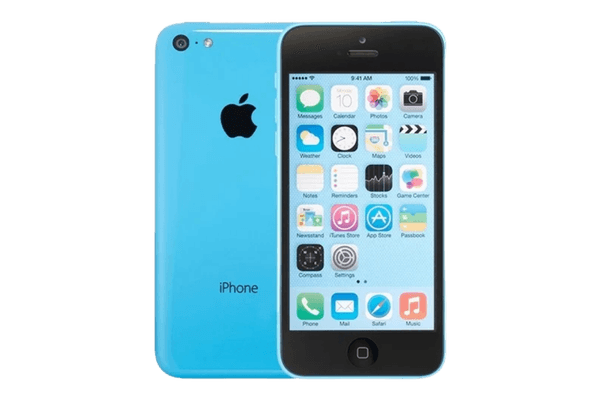
Get 7 Years From Your iPhone With These Simple Habits
How Long Should an iPhone Last if You paid a thousand pounds for your iPhone. You should get every possible year out of it, an iPhone 15 will typically last 5–6 years with proper battery maintenance
Most people replace theirs after 3 to 4 years. But a well-cared-for iPhone can run strong for 5 to 7 years, sometimes longer.
The difference comes down to a handful of easy habits.
How Long iPhones Actually Last
Apple doesn’t publish an official lifespan. But the data paints a clear picture.
-Most iPhones last 4 to 6 years before replacement
-Apple supports devices with software updates for 5 to 7 years after release
-The iPhone 8 (released 2017) received iOS 16 in 2022 – five years later
-Hardware often outlasts software support by a wide margin
The real question: can your phone still do what you need it to do? if you’re in East Yorkshire and your iPhone is slowing down, here’s what we’d check first.
What Wears Out Your iPhone
Battery degradation is the biggest factor. Lithium-ion batteries lose capacity with every charge cycle. Apple flags a battery as “worn” below 80% of original capacity – typically after 300 to 500 full cycles, or roughly 1 to 2 years of heavy use.
A worn battery means:
-Shorter time between charges
-Unexpected shutdowns
-Slower performance (Apple throttles speed to protect aging batteries)
Storage filling up is the second killer. Apps grow larger. Your photo library expands. A 64GB or 128GB phone that felt roomy in year one feels cramped by year three.
Software demands outpace hardware. Each new iOS version is built for newer chips. Older processors eventually struggle, causing lag and crashes.
Physical damage adds up. Cracked screens, damaged ports, worn buttons, water exposure – all shorten your phone’s usable life.
Security support ends. Once Apple stops issuing security patches for your model, your phone becomes vulnerable. This is usually the point where keeping an older device gets risky.
How to Push Your iPhone Past Year Five
Most iPhone aging is preventable. These strategies make the biggest difference.
Protect the Battery
–Turn on Optimized Battery Charging. Settings > Battery > Battery Health & Charging. Your iPhone learns your routine and slows charging past 80% to reduce stress.
–Keep it cool. Heat destroys batteries. Don’t leave your phone in a hot car, direct sunlight, or under a pillow while charging.
–Stay between 20% and 80% when you can. You don’t need to obsess, but skipping the nightly full charge helps.
–Replace the battery when capacity drops. Apple charges around $99 for most models. This single fix can make a 3-year-old phone feel almost new. Best value move you can make.
Update Software – But Be Smart About It
-Always install security updates. Non-negotiable.
-For major iOS releases, wait a week or two. Let Apple patch early bugs. Read user reports about performance on your specific model before upgrading.
Manage Storage
-Use iCloud Photos or another cloud service to offload your library
-Delete apps you don’t use
-Clear cached data in Safari and streaming apps
-Turn on “Offload Unused Apps” in Settings > App Store
-Keep at least 10 to 15% of your storage free for smooth performance
Use a Case and Screen Protector
A cracked screen costs $200 to $300 to repair. A good case costs $20 to $50. A tempered glass protector costs under $15. The math speaks for itself.
Pick cases with raised edges around the screen and camera for the best drop protection.
Clean Your Charging Port
Lint and debris pack into the Lightning or USB-C port over time. This causes charging issues that feel like hardware failure but are just a dirty port.
Use a wooden toothpick or a purpose-built cleaning tool (never metal) to clear buildup. Simple habit, big payoff.
Restart Weekly
A weekly restart clears temporary files, refreshes memory, and resolves minor performance hiccups before they snowball.
Repair Before You Replace
Before writing off your iPhone, ask if the problem is fixable:
–Slow performance? Try a battery replacement first.
–Cracked screen? Replacements are widely available.
–Charging problems? Often a port cleaning or new cable fixes it.
–Out of storage? Cloud solutions and offloading buy more time.
Many phones that feel “dead” just need a relatively cheap repair.
When Upgrading Actually Makes Sense
Four legitimate reasons to replace a working iPhone:
1. Apple has stopped issuing security updates and you use your phone for banking or sensitive accounts
2. Repair costs exceed the device’s value
3. Your phone can’t run apps you genuinely need for work or daily life
4. Performance is so degraded that even a battery replacement doesn’t help
If none of those apply, you likely have more life left in your current phone than you think.
The Bottom Line
A well-maintained iPhone can realistically last 5 to 7 years. The gap between a phone that dies at year three and one still running at year six almost always comes down to care.
Protect the battery. Update the software. Use a case. Fix problems before defaulting to replacement.
These habits aren’t complicated. They add up to real money saved and real years gained from a device you’ve already paid for.
Your iPhone is built to last. Give it the chance to prove it.
Leave a Reply